@Dynamics AX Technical Conference
13. November 2011 Leave a comment
You can find me at the Dynamics AX Technical Conference in Nice
Microsoft Dynamics 365 Business Management Solution Enthusiast
13. November 2011 Leave a comment
You can find me at the Dynamics AX Technical Conference in Nice
28. October 2011 8 Comments
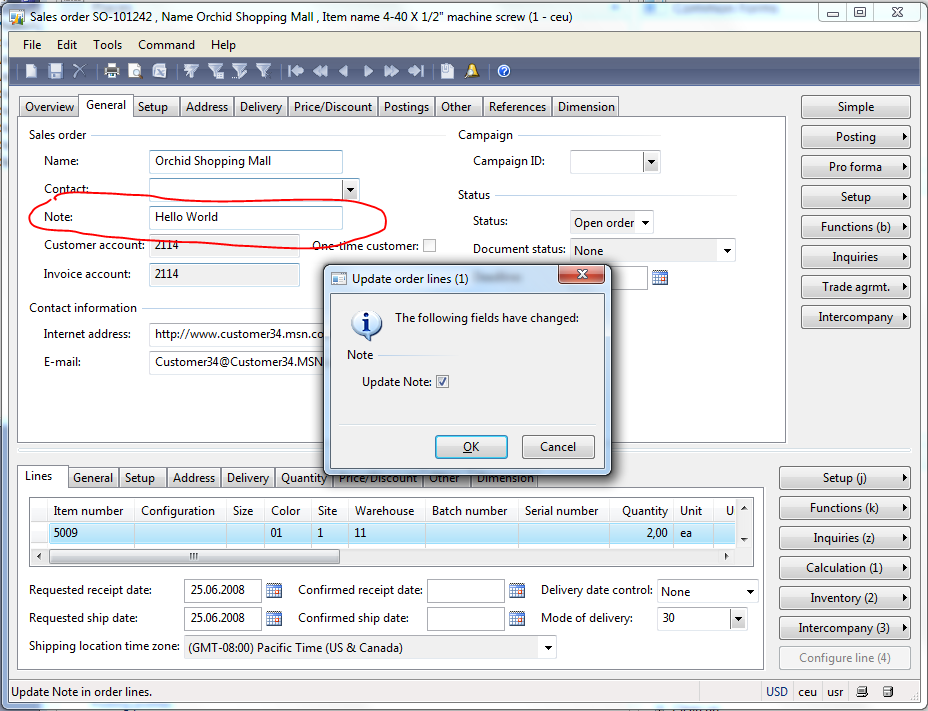
Dynamics AX provides a Framework for updating changes made on SalesTable fields to SalesLine fields. The update method can be configured within Dynamics AX at Accounts Receivable > Setup > Parameters > Updates > “Update order Line”. This form is used to configure if and how changes made to the SalesTable are written to the lines. This framework can be extended to update your own fields, like a “Notes” field in the example below.


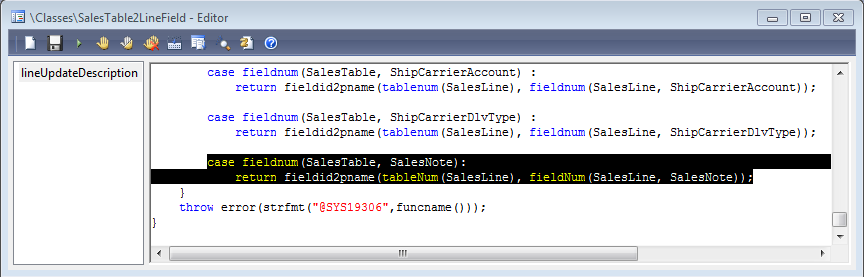
case fieldnum(SalesTable, SalesNote):
return fieldid2pname(tableNum(SalesLine), fieldNum(SalesLine, SalesNote));
public SalesNote parmSalesNote(SalesNote _salesNote = ”)
{
if (!prmisdefault(_salesNote))
{
this.setField(fieldnum(SalesTable, SalesNote), _salesNote);
}return salesTable.SalesNote;
}
public SalesNote parmSalesNote(SalesNote _salesNote = ”)
{
if (!prmisdefault(_salesNote))
{
this.setField(fieldnum(SalesLine, SalesNote), _salesNote);
}return salesLine.SalesNote;
}
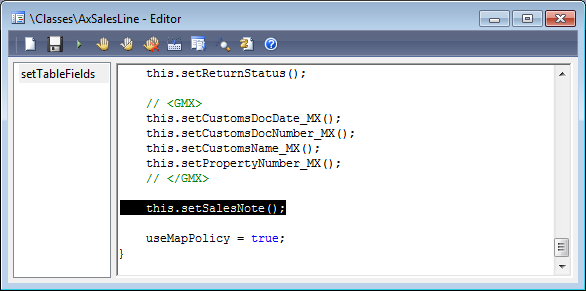
protected void setSalesNote()
{
if (this.isMethodExecuted(funcname(), fieldnum(SalesLine, SalesNote)))
{
return;
}this.setAxSalesTableFields();
if (this.isAxSalesTableFieldsSet() || this.axSalesTable().isFieldModified(fieldnum(SalesTable, SalesNote)))
{
this.parmSalesNote(this.axSalesTable().parmSalesNote());
}
}

1. October 2011 1 Comment
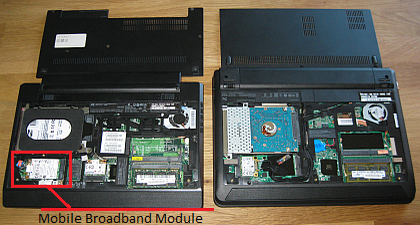
I’ve recently purchased a Lenovo x121e with AMD Processor to replace my good old x100e Laptop. In general I’d prefer HP but there are some reasons why I’ve become a fan of Lenovos x100* series.
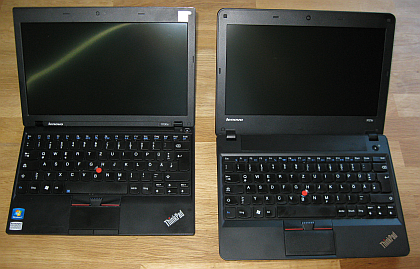
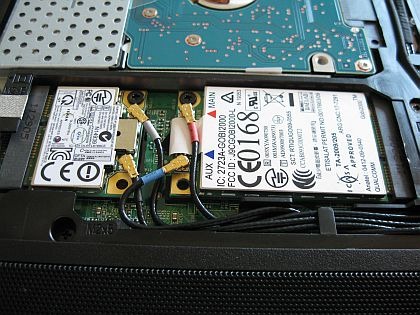
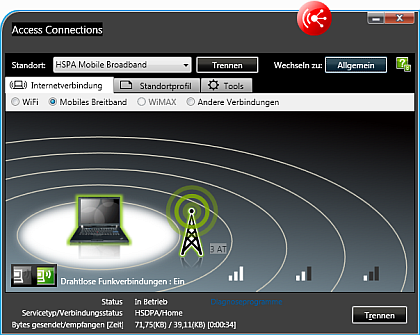
However, the x121e AMD version does not have an integrated WWAN module. This may be one reason why its that cheaper compared to the Intel version. Fortunately the old x100e has one (Gobi 2000) that can be transferred to the x121e.

19. September 2011 Leave a comment
I’ve been asked by a colleague if it is possible to let the Infolog make a noise depending on the log type, e.g. a *beep* for an info, a *pling* for a warning and an evil noise for an error. Fortunately we can use .NET in AX 2009. The System.Media.SystemSound class already provides access to the typical system sounds. I’ve modified the Info class in AX this way:
Exception add(
Exception _exception,
str _txt,
str _helpUrl = ”,
SysInfoAction _sysInfoAction = null,
boolean buildprefix = true)
{
int numOfLines,i;
int actionClassId;
container packedAction;
xSession session;System.Media.SystemSound sound;
InteropPermission permission;
;// default infolog code here …
permission = new InteropPermission(Interopkind::ClrInterop);
permission.assert();
switch(_exception)
{
case(Exception::Info):
sound = System.Media.SystemSounds::get_Asterisk();
break;
case(Exception::Warning):
sound = System.Media.SystemSounds::get_Hand();
break;
case(Exception::Error):
sound = System.Media.SystemSounds::get_Exclamation();
break;
}
if(sound!=null)
sound.Play();
CodeAccessPermission::revertAssert();return super(_exception, (buildprefix?getprefix():”)+_txt);
}
3. September 2011 Leave a comment
I’ve passed the MB6-820 Dynamics Ax 2009 Installation & Configuration exam. Questions are fair and with some experience installing AX in different environments you have a good chance to pass the exam with a high score.
Dynamics Certifications

Windows and SQL Server Certifications

25. August 2011 1 Comment

I’ve recently added a HP MT 3300 Desktop PC to a Small Business Server 2008 domain running Dynamics AX 2009. Out of the box I was facing two issues:
1) SBS 2008 reported an error it could not communicate with the new client machine.
2) Opening the AOT was freezing the Dynamics AX client and crashed after a while because of insufficient memory. Very strange issue that could not to be fixed with any rollup or hotfix for Dynamics AX 2009.
Solution 1)
Per default the machine is running Norton Internet Security. Go to Settings > Network Settings > Firewall > Access Control. Set the SBS Server machine to Full Trust.

Solution 2)
Thanks to Microsoft Support: HP Security Manager is causing this issue (not only on MT 3300). Go to C:\Program Files (x86)\Hewlett-Packard\HP ProtectTools Security Manager\Bin and find the DpFbView.dll file. Rename the file to DpFbView.old.
15. August 2011 Leave a comment
Again I experienced a strange behavior within Dynamics AX 2009 Enterprise Portal. I’ve created a AxGridView using an AxDataSource connected to a DataSet in Dynamics AX. The DataSet holds a setFilter method to set values on some QueryBuildRanges. Moreover I’ve create a button in my AxUserControl Webpart that invokes the setFilter method with some values.
protected void SearchButton_Click(object sender, EventArgs e)
{
string value1 = TextBox1.Text;
string value2 = TextBox2.Text;
AxDataSourceMyTable.GetDataSet().DataSetRun.AxaptaObjectAdapter.Call
(“setFilter”,value1,value2);
}
public void setFilter(str _value1, str value2)
{;
qbrSomeField.value(_value1);
qbrAnotherField.value(_value2);
MyTable_DS.executeQuery();
}
This implementation worked fine the first time using the webpart. However, after a very short time I got an error telling me that no Business Connector Session was found.

First I thought of some kind of timeout and played with IIS settings. But Google found this discussion where it is explained that Dynamics AX deletes the QueryBuildRange objects after a very short time, and therefore the call fails. The solution is to use SysQuery::findOrCreateRange .
public void setFilter(str _value1, str value2)
{
QueryBuildDataSource qbds;
;
qbds = MyTable_DS.query().dataSourceTable(tableNum(MyTable))
SysQuery::findOrCreateRange(qbds,fieldNum(MyTable,Field1)).value(_value1);
SysQuery::findOrCreateRange(qbds,fieldNum(MyTable,Field2)).value(_value2);
MyTable_DS.executeQuery();
}
3. August 2011 Leave a comment

public display Color webBackgroundColor()
{;
switch(this.ItemType)
{
case ItemType::BOM: return "Red";
case ItemType::Item: return "Green";
case ItemType::Service: return "Blue";
default: return "White";
}
}
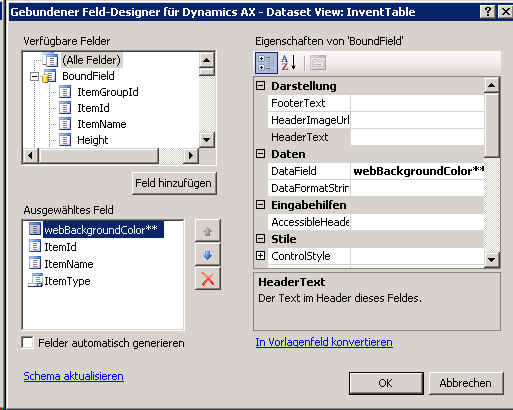
protected void AxGridView1_RowDataBound(object sender, GridViewRowEventArgs e)
{
string axColor = e.Row.Cells[0].Text.ToLower();
if(axColor.Equals("red"))
e.Row.BackColor = System.Drawing.Color.Red;
else if(axColor.Equals("green"))
e.Row.BackColor = System.Drawing.Color.Green;
else if(axColor.Equals("blue"))
e.Row.BackColor = System.Drawing.Color.Blue;
}
Use an Extended Datatype (Color instead of str) for the display method, otherwise you may experience strange behaviour in your ASP.NET application.
18. July 2011 Leave a comment
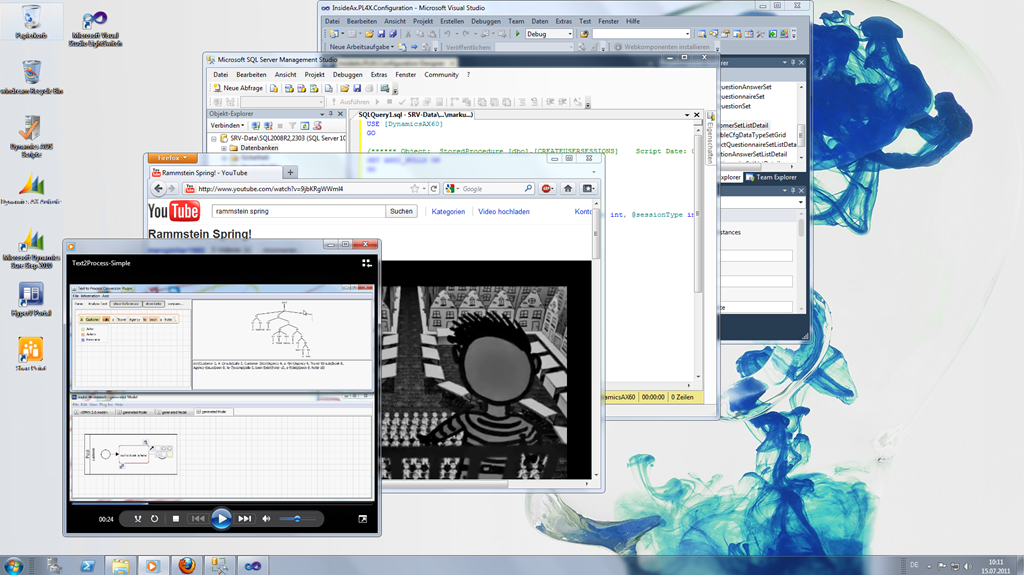
Working on Terminal Server is often seen as ugly and unpleasant. Connection from outside with low bandwith it is indeed not a pleasure. However, working on Terminal Server inside the lcoal area network can be a great experience. With Server 2008 R2 you may use windows themes, styles, audio and video. Here is an example of my Terminal Server session at work.
17. July 2011 Leave a comment
SME companies in the ERP domain are facing several challenges such as the functional growth of systems. Solving these problems is sometimes difficult as no off-the-shelf solutions exist. This also means that selected prob-lems provide an excellent opportunity for applied research. In this paper, we de-scribe the S³C research project which was conducted by an SME company in the ERP domain. We present the objectives and the outcomes of the project but also focus on a discussion on how the project was conducted. Particularly, the contribution of this paper is a discussion of lessons learned from conducting re-search in SME companies. We highlight success factors and risks which pro-vide a guideline for SME companies in conducting research.
Presented at 3rd Workshop on Leveraging Empirical Research Results for Software Business Success; EPIC 2011 in Brüssel. EPIC’11 Workshop




 ErpCoder