MCTS: MB6-872 Dynamics AX 2012 Installation & Configuration
20. May 2012 Leave a comment
Now it’s official, I know how to install Dynamics AX 2012 ![]()
Microsoft Dynamics 365 Business Management Solution Enthusiast
20. May 2012 Leave a comment
Now it’s official, I know how to install Dynamics AX 2012 ![]()
15. April 2012 Leave a comment
On Friday 13th
I was certified for SharePoint 2010 Application Development. Since every Dynamics AX Silver+ Partner need at least on SharePoint guy, I’m the one for InsideAx. I’m already experienced in maintaining SharePoint 2012 (mainly Foundation) for those of our Customers running Rolecenter in AX 2009. Furthermore I’ve upgraded and developed Enterprise Portal applications in the last two years. However, EP development and classic SharePoint development does diverge. Everybody who ever tried to modify EP using SharePoint designer knows what I’m taking about.
I don’t want to say that all the cool SharePoint features cannot be used to extend Dynamics AX (e.g. I’ve built a web based appointment app using SharePoint and its lists and calendars to visualize the schedules). All those who are now forced to get in touch with SharePoint may experience that it can be used in may cases to provide cool solutions for their customers. But I’d like Microsoft to strengthen the web / enterprise portal development aspect of Dynamics AX by extending the development course materials and provide an Enterprise Portal Certification.
5. March 2012 1 Comment
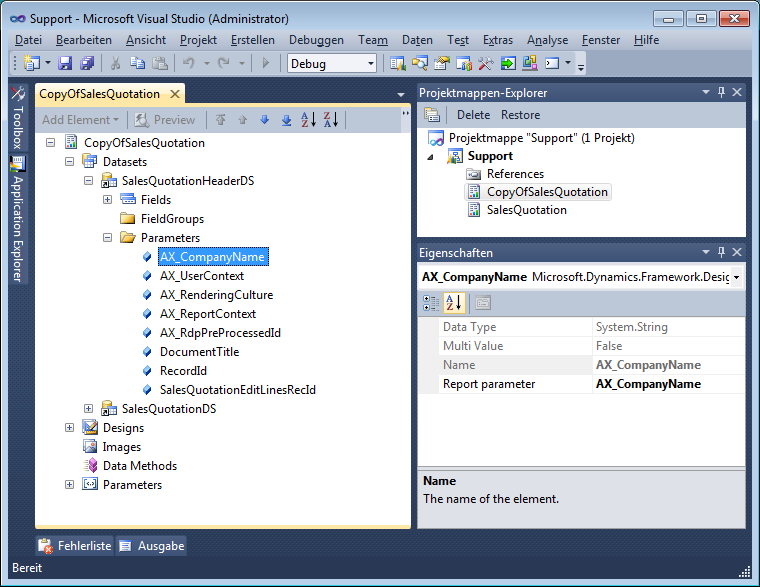
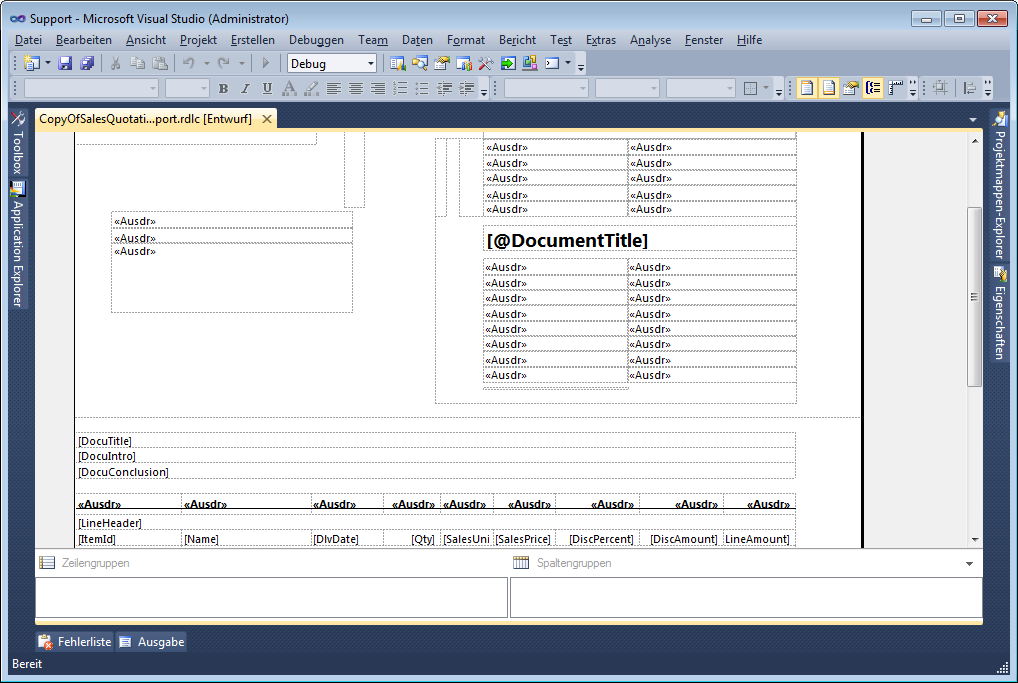
When you duplicate an SSRS Dynamics AX 2012 report in Visual Studio, and you try to open the design node you may get an error message like “object instance not set to an object”. The reason is that the data set parameters contain the name of the report e.g. SalesQuotation. Now that you have duplicated the report its name is CopyOfSalesQuotation and the report is broken.
Compiling the report project brings up a list of errors.
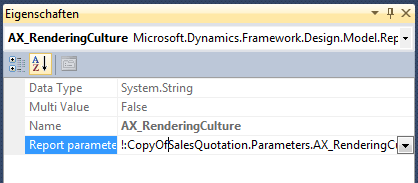
Navigate to each data set parameter and change the name of the report to match the new name e.g. CopyOfSalesQuotation instead fo SalesQuotation
The fixed parameter should look like this
Finally the report designer is working
3. March 2012 Leave a comment
Microsoft recently released Windows Server 8 Beta and Windows 8 Consumer Preview. So my first though was about running Dynamics AX 2012 on Server 8 and Windows 8. However, installing AX 2012 on Server 8 failed due incompatibility with windows installer. But Windows Server 8 and Windows 8 Betas still come with an upgrade option. So I had the idea install AX 2012 on Server 2008 R2 and upgrade to Windows Server 8 Beta.
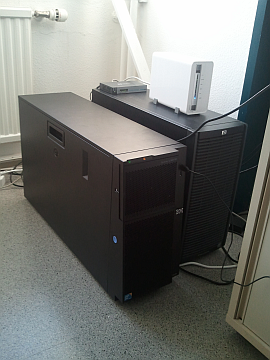
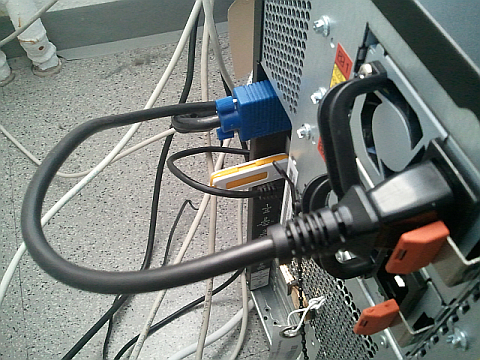
We’ve bought an IBM x3400 M3 server for a customer. We’re still waiting for some hard disks to deliver, so the server is unused and becomes my testing platform for the moment. Installing Windows 8 Beta was straight forward, but as mentioned installing AX 2012 failed. So next I failed installing Windows Server 2008 R2 because no hard disk was found (missing driver). The solution:
IBM x3400 M3 and Raid driver on USB for Windows Server 2008 R2 installation
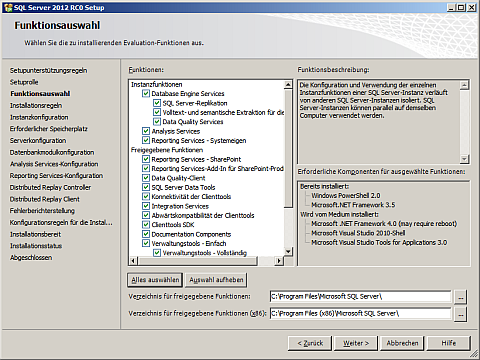
Next I’ve joined the new 2008 R2 server to our domain. Loving Betas, Previews and other unstable stuff I’ve installed SQL Server 2012 RC0 to serve as database server for AX.
SQL Server 2012 RC0 Full Featured
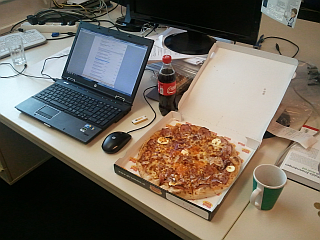
Ham, Eggs, Bacon, Onion and Corn, Coke and Tiramisu
Admin’s workplace ![]()
AX on SQL 2012 RC0 is a little bit tricky, because even database creation failed. So I’ve set up an AOS using another SQL Server 2008 R2 with an existing AX 2012 database and baseline. Next I restored an AX 2012 database from a backup in SQL 2012 RC0 and configured the AOS to use it. Works as it should. However, the reporting extensions are not compatible with RC0 and installation failed.
AX 2012 using SQL 2012 RC0
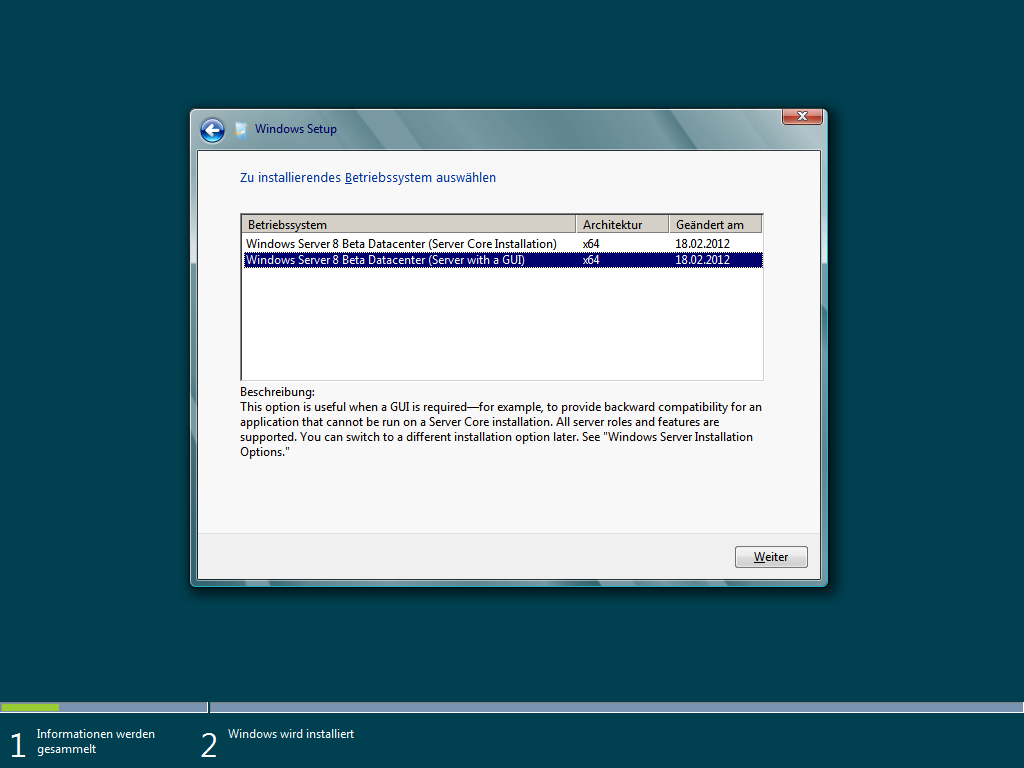
Windows Server 8 Beta Data Center Edition with GUI
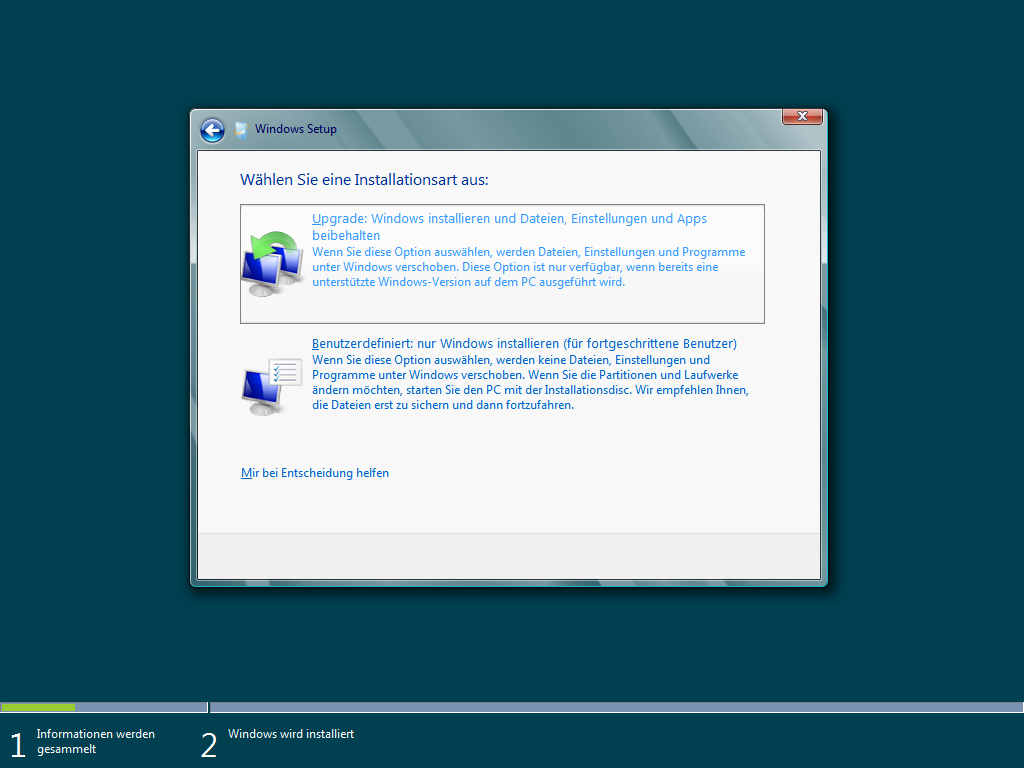
Upgrade an existing Installation
Windows Server 8 Beta is starting up, …
Finally! Windows Server was upgraded from 2008 R2 to 8 Beta
Well, Windows as upgraded successfully but Dynamics AX is not working any more
Starting the AOS results in an error. Reviewing the windows event error logs brings up the details:
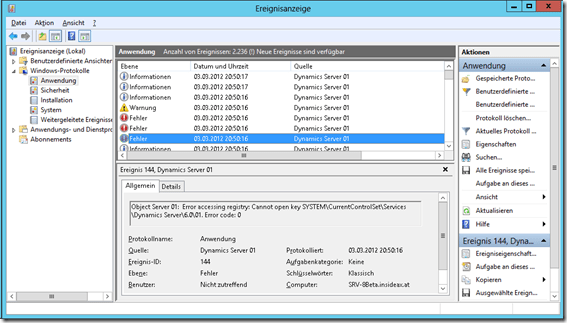
![]()
Object Server 01: Error accessing registry: Cannot open key SYSTEM\CurrentControlSet\Services\Dynamics Server\6.01. Error code: 0
Object Server 01: The directory "C:\Windows\system32\\bin" does not exist or access to it has been denied by the operating system.
Object Server 01: The home directory for Axapta (C:\Windows\system32\) does not match the required structure or can not be accessed. Please check installation, configuration and access rights.
Object Server 01: Server terminated unexpectedly with 10 exitcode.
The reason is an missing registry key:
HKEY_LOCAL_MACHINE\SYSTEM\CurrentControlSet\Services\DynamicsServer\601
I solved this issue by importing an AX configuration from another server’s registry
Dynamics AX 2012 running on Windows Server 8 Beta
21. February 2012 2 Comments
The paper is about variability in ERP ecosystems, especially the situation of Dynamics AX partner companies. We present an idea how partner companies could manage the variability in their solutions to set up a product line. The paper can be found at the ACM Digital Library
8. January 2012 1 Comment
Here is a simple example how to use the fulltext index capability in Dynamics AX 2012. This example downloads RSS postings into a table with fulltext index and runs a query to identify those with specific words.
using System;
using System.Collections.Generic;
using System.Linq;
using System.Text;
using System.ServiceModel.Syndication;
using System.Xml;
using System.Text.RegularExpressions;namespace ErpCoder.RssFeed
{
public class Reader
{
private string xmlAddress = String.Empty;
private IEnumerator<SyndicationItem> enumerator;public Reader(string address)
{
xmlAddress = address;
}public void Load()
{
var reader = new XmlTextReader(xmlAddress);
var feed = SyndicationFeed.Load(reader);
enumerator = feed.Items.GetEnumerator();
}public bool Read()
{
return enumerator.MoveNext();
}public string GetTitle()
{
return enumerator.Current.Title.Text;
}public string GetDescription()
{
string text = Regex.Replace(enumerator.Current.Summary.Text,
"<(.|n)*?>", String.Empty);
return text;
}
}
}
static void populateFeedTable(Args _args)
{
System.Exception ex;
RssFeedTable feedTable = RssFeedTable::find("techat");
RssFeedContent content;
ErpCoder.RssFeed.Reader reader;
InteropPermission permission;
permission = new InteropPermission(InteropKind::ClrInterop);
permission.assert();try
{
reader = new ErpCoder.RssFeed.Reader(feedTable.Uri);
reader.Load();while(reader.Read())
{
content.clear();
content.Title = reader.GetTitle();
content.Text = reader.GetDescription();
content.FeedId = feedTable.FeedId;
content.insert();
}
}
catch(Exception::CLRError)
{
ex = CLRInterop::getLastException();
error(ex.get_Message());
}CodeAccessPermission::revertAssert();
}
static void queryFullText(Args _args)
{
RssFeedContent feedContent;
Query query = new Query();
QueryBuildDataSource qbdsContent =
query.addDataSource(tableNum(RssFeedContent));
QueryBuildRange rangeText =
qbdsContent.addRange(fieldNum(RssFeedContent,Text),
1,QueryRangeType::FullText);
QueryRun queryRun;
rangeText.value("Office Hyper-V");queryRun = new QueryRun(query);
while(queryRun.next())
{
feedContent = queryRun.get(tableNum(RssFeedContent));
info(feedContent.Text);
}
}
3. December 2011 Leave a comment
Momentus XT is a hybrid HDD that combines a 7200rpm drive with a large SSD cache. I’ve bought one to run a Dynamics AX 2012 presentation laptop. By design the performance is getting better for frequent tasks. Here are my results:
Testcases:
Laptop: HP 8540w Mobile Workstation, 8GB RAM, Core i7 2,8GHz
Software: Windows Server 2008 R2 SP1, Dynamics AX 2012 CU1, SQL Server 2008 R2, Enterprise Portal with SharePoint Server 2010
| HDD | XT #1 | XT #2 | XT #3 | XT #4 | XT #5 | |
| Boot | 03:05 | 03:13 | 02:36 | 01:48 | 01:54 | 01:46 |
| Start AX | 00:51 | 00:40 | 00:31 | 00:18 | 00:17 | 00:18 |
| Confirmation | 02:30 | 01:40 | 00:59 | 00:59 | 01:07 | 00:59 |
13. November 2011 Leave a comment
You can find me at the Dynamics AX Technical Conference in Nice
28. October 2011 8 Comments
Dynamics AX provides a Framework for updating changes made on SalesTable fields to SalesLine fields. The update method can be configured within Dynamics AX at Accounts Receivable > Setup > Parameters > Updates > “Update order Line”. This form is used to configure if and how changes made to the SalesTable are written to the lines. This framework can be extended to update your own fields, like a “Notes” field in the example below.
case fieldnum(SalesTable, SalesNote):
return fieldid2pname(tableNum(SalesLine), fieldNum(SalesLine, SalesNote));
public SalesNote parmSalesNote(SalesNote _salesNote = ”)
{
if (!prmisdefault(_salesNote))
{
this.setField(fieldnum(SalesTable, SalesNote), _salesNote);
}return salesTable.SalesNote;
}
public SalesNote parmSalesNote(SalesNote _salesNote = ”)
{
if (!prmisdefault(_salesNote))
{
this.setField(fieldnum(SalesLine, SalesNote), _salesNote);
}return salesLine.SalesNote;
}
protected void setSalesNote()
{
if (this.isMethodExecuted(funcname(), fieldnum(SalesLine, SalesNote)))
{
return;
}this.setAxSalesTableFields();
if (this.isAxSalesTableFieldsSet() || this.axSalesTable().isFieldModified(fieldnum(SalesTable, SalesNote)))
{
this.parmSalesNote(this.axSalesTable().parmSalesNote());
}
}