PowerBI Write-Back with User Data Functions
8. April 2026 Leave a comment
PowerBI is great for data analysis and visualization. It also supports What-If simulations, but lacks the ability to save analysis results in a structured way. In combination with Fabric User Data Functions you can implement a simple Write-Back to a data source in Fabric (e.g. database, lakehouse).
I’ve implemented a small demo application in Fabric. The workspace contains a SQL database, a User Data Function and a PowerBI report.
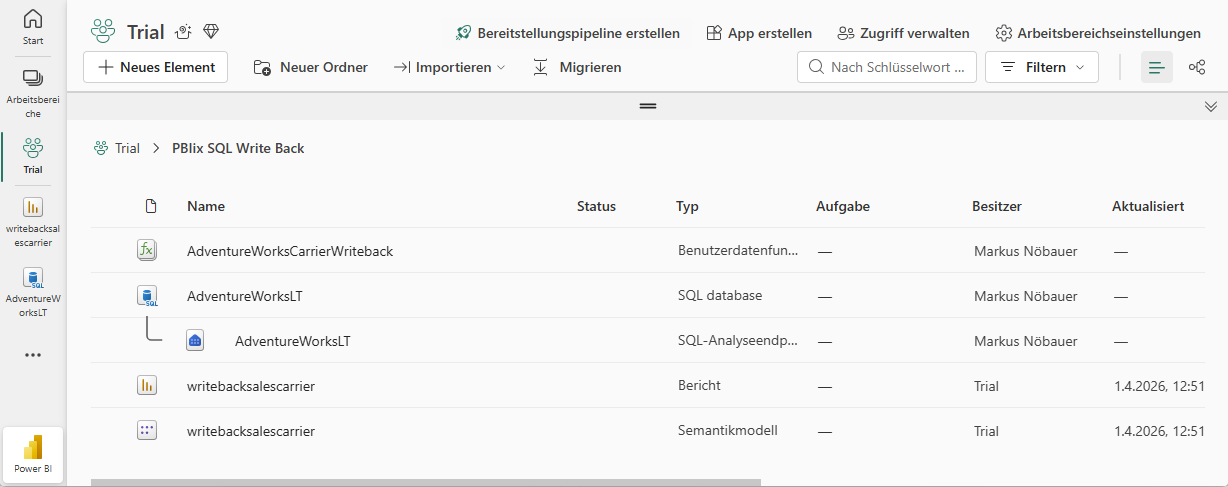
The database holds an Adventure Works demo dataset. It contains two additional tables (Carrier and CarrierSelected). The Carrier tables hols package delivery providers and the price for a package to be delivered. The CarrierSelected has only 1 record with the selected carrier.
| Carrier | PricePerQty |
| UPS | 12 |
| DHL | 13 |
| DPD | 7 |
| Post | 11 |
PowerBI creates a table that flags the selected carrier. I’m using two measures to get the actual selected carrier and price. If nothing is seleced, the price is from the record flagged as selected, otherwise the selected (aka. clicked) record in the table visual.
Active Carrier = VAR SelectedCarrier = SELECTEDVALUE(Carrier[Carrier])VAR DefaultCarrier = CALCULATE( SELECTEDVALUE(Carrier[Carrier]), Carrier[Status] = "Selected" )RETURN IF(ISBLANK(SelectedCarrier), DefaultCarrier, SelectedCarrier)Active PricePerQty = VAR SelectedPrice = SELECTEDVALUE(Carrier[PricePerQty])VAR DefaultPrice = CALCULATE( SELECTEDVALUE(Carrier[PricePerQty]), Carrier[Status] = "Selected" )RETURN IF(ISBLANK(SelectedPrice), DefaultPrice, SelectedPrice)
The actual price is used to calculate the shipping costs by multiplying the SalesOrderDetails.Qty with the package price. Selecting a different carrier immediately updates the price.
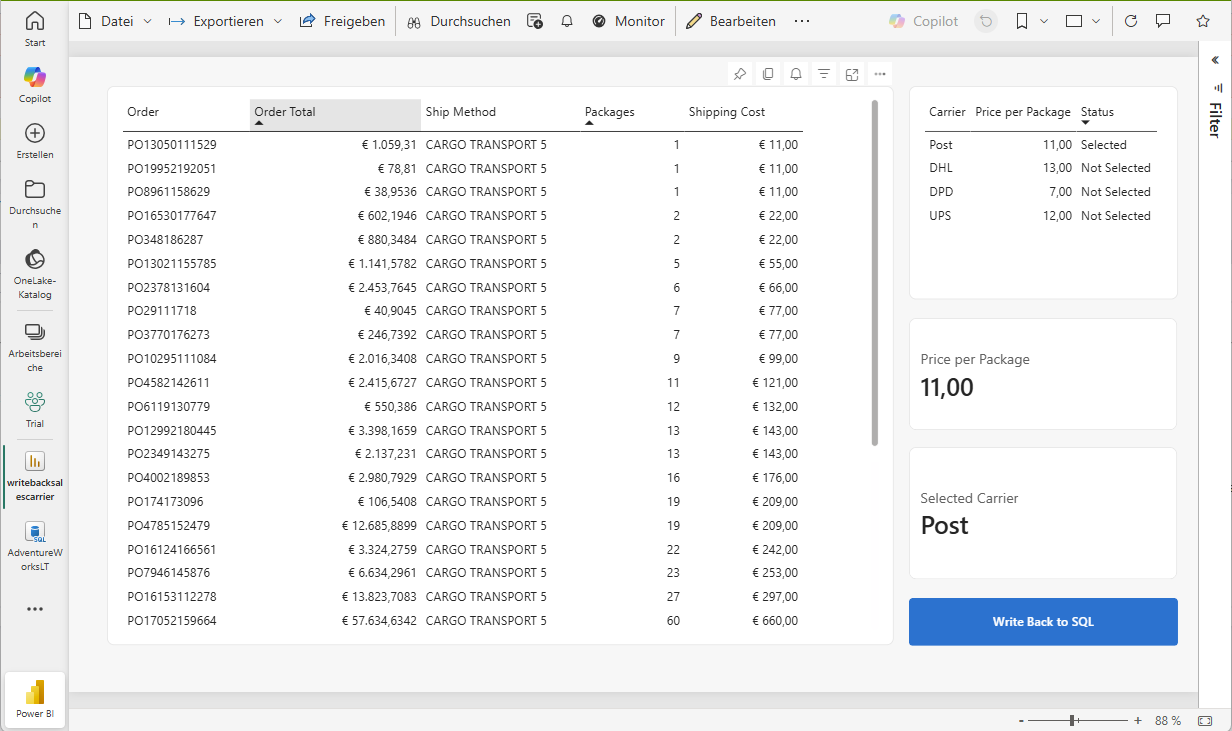
The magic happens when clicking on the “Write back to SQL” button. This is a blank button with the Action enabled and a linked data function. It takes the value from the “Active Carrier” measure and passes it as parameter to the data function.
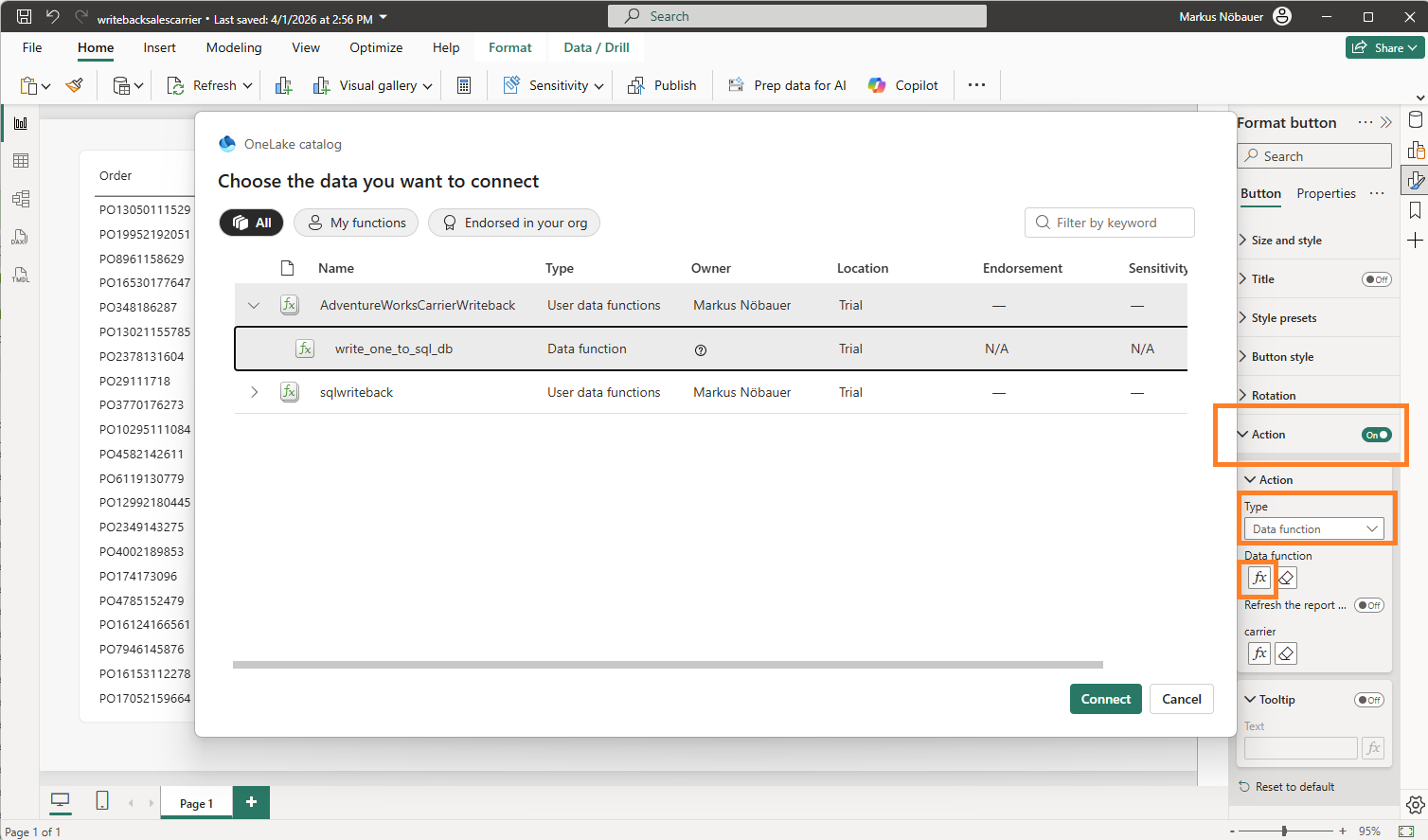
The User Data Function is an artifact in the Fabric workspace. It can uses connections to data sources in fabric. In my case it connects to the SQL database. The function has a string input parameter “carrier”. The code deletes the existing entry in the CarrierSelection table and inserts the new one.
import fabric.functions as fnimport uuidudf = fn.UserDataFunctions()@udf.connection(argName="sqlDB",alias="AdventureWorksL") @udf.function() def write_one_to_sql_db(sqlDB: fn.FabricSqlConnection, carrier: str) -> str: connection = sqlDB.connect() cursor = connection.cursor() delete_carrier = "DELETE FROM [SalesLT].[CarrierSelection]" cursor.execute(delete_carrier) insert_description_query = "INSERT INTO [SalesLT].[CarrierSelection] VALUES (?)" cursor.execute(insert_description_query, carrier) connection.commit() cursor.close() connection.close() return "The carrier was updated"
 About erpcoder



 ErpCoder